How it Works
The Genus Professional App
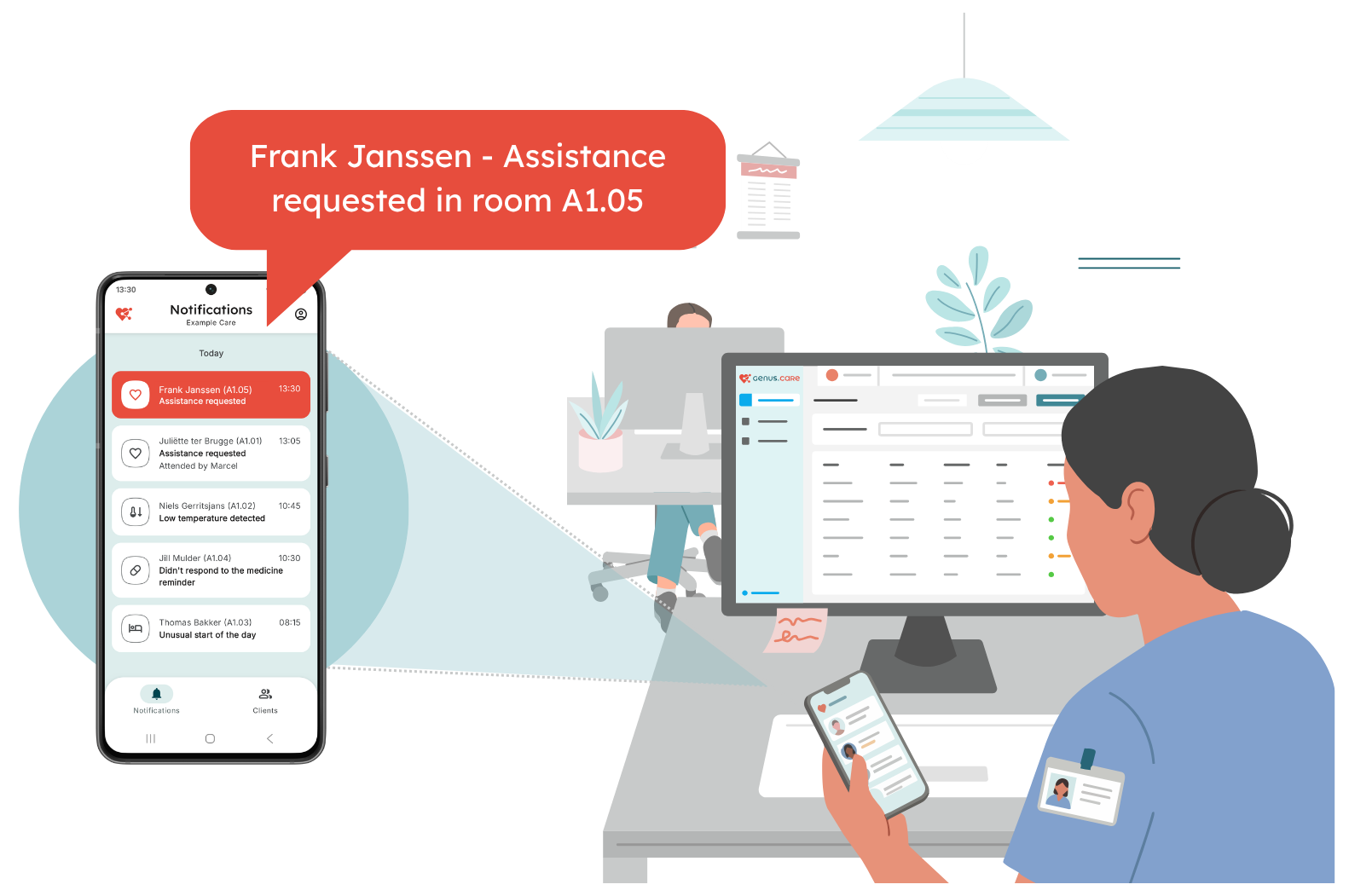
Always insight, wherever you are
With the Genus Professional App, you have real-time insight into your clients’ situations at all times. Receive instant notifications, view statuses, and see at a glance where your attention is needed. This allows you to work more efficiently and frees up more time for personal care.
Assess first, then act
Not every alert requires immediate on-site action. Through phone calls, video calls, or messaging, you can first contact the client and assess the situation. This helps prevent unnecessary travel and walking time, enabling you to make faster and more informed decisions.
Smart teamwork
Collaborate seamlessly with your colleagues by clearly indicating who is handling each alert. Avoid duplicate actions and ensure every call is properly followed up. Thanks to automatic escalations (fallback teams), no alert goes unanswered.
Genus App
All features

Smart Notifications
Receive instant alerts when a client requests assistance or when the system detects unusual activity. More urgent notifications are always clearly prioritized at the top.

Direct Video & Phone Calls
Easily start a video or phone call with the client. This allows you to assess the situation remotely and avoid unnecessary walking or travel time.

Team Coordination
Instantly indicate in the app whether you are on your way to a client or will respond later. Colleagues within the same team can see your status, preventing duplicate efforts.
Automatic Escalation (Fallback)
If no one is able to respond immediately to an emergency call, the alert is automatically forwarded to a backup team after a set time, ensuring no call goes unanswered.

Real-Time Client Status
See at a glance whether a client is currently in contact or when movement was last detected in their room.
Messaging & Well-being Checks
Easily send messages to the client’s Genus Device. Clients can respond quickly using simple options such as “Yes/No,” star ratings, or smileys.
Device & Battery Management
Easily monitor the connection status and battery level of linked devices, such as emergency buttons (e.g., an SOS wristband) or the Genus Device itself.

Specialized Alerts
Gain insight into specific health or well-being risks, such as irregular start-of-day patterns, wandering behavior, missed medication, extreme temperatures, or stress indicators.
Notification History & Logbook
Access a complete overview of all handled alerts. For each event, view detailed information such as response time and which colleague handled the request.
Support
Frequently asked questions
Want to know more? We’re happy to help
Please contact us if you have more questions
